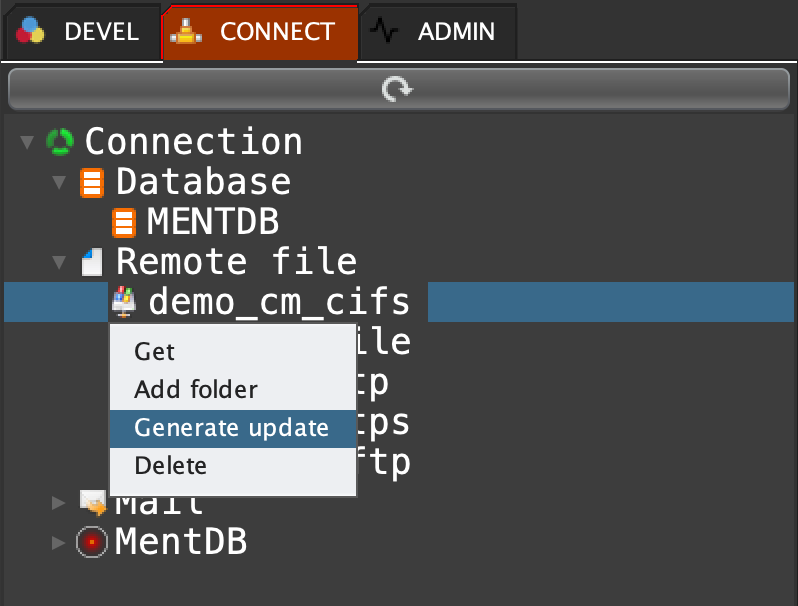
Click on 'CONNECT' tab, open 'Remote file', right click on 'demo_cm_cifs' and select 'Generate update'
json load "tmpCm" "{}"; json iobject "tmpCm" / "target_files" "[]" ARRAY; json iobject "tmpCm" / "hostname" "192.168.220.130" STR; json iobject "tmpCm" / "password" "pwd" STR; json iobject "tmpCm" / "port" "445" STR; json iobject "tmpCm" / "domain" "domain" STR; json iobject "tmpCm" / "readTimeout" "30000" STR; json iobject "tmpCm" / "connectTimeout" "10000" STR; json iobject "tmpCm" / "k" "demo_cm_cifs" STR; json iobject "tmpCm" / "type" "cifs" STR; json iobject "tmpCm" / "user" "bob" STR; json iarray "tmpCm" /target_files "{}" OBJ; json iobject "tmpCm" /target_files[0] "filter" ".*.*" STR; json iobject "tmpCm" /target_files[0] "dir" "remoteDirectory" STR; cm set "demo_cm_cifs" {json doc "tmpCm"};
"1" INNOV-AI