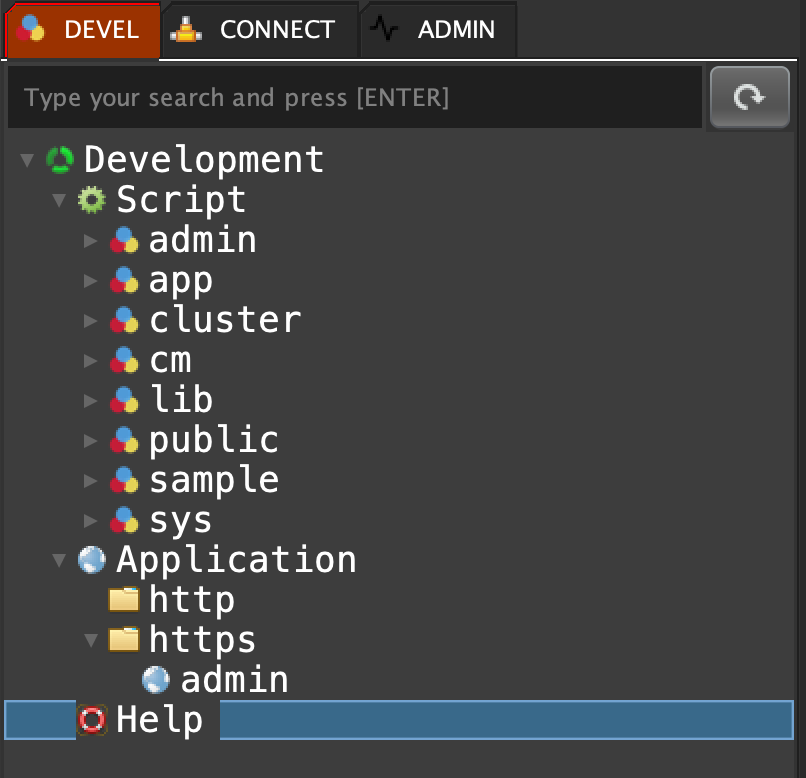
Double click on 'Help'
help;"APP
app create <type> <contextName> <template> <version> : To create a new application
app show <type> : To show all applications into a web port
app is_granted_a <tag> : To check if an object is granted (administrator)
app is_granted_sa <tag> : To check if an object is granted (super administrator)
app exist <type> <contextName> : Check if an application already exist
app delete <type> <contextName> : To delete an application
app webserver restart : To restart the web server
app webserver add_blocked_ip : Block an IP
app webserver remove_blocked_ip : Unblock an IP
app webserver show_all_remote_ips : Show all remote IPs
app webserver show_all_blocked_remote_ips : Show all blocked remote IPs
app webserver reset_all_remote_ips : Reset all remote IPs
app webserver reset_all_blocked_remote_ips : Reset all blocked remote IPs
app menu <jPath> <id> <TranslationKeytitle> <icon> <url> <method> <topMenu> <groups> <adminType> : To add a new menu
app menu show : To show the menu
_app_sajax_2_script___create_remote : To create a remote valid script
_app_sajax_1_skeleton___html_div : To add custom HTML
_app_sajax_1_skeleton___css_container : To show a Bootstrap container object
_app_sajax_1_skeleton___css_row : To show a Bootstrap row object
_app_sajax_1_skeleton___css_col : To show a Bootstrap col object
_app_sajax_1_skeleton___onload : To execute a MQL source code before loading the page
_app_sajax_1_skeleton___on_click_button : To get a javascript source code to execute a MQL remote script in a button
_app_sajax_1_skeleton___on_click_event : To get a javascript source code to execute a MQL remote script
_app_sajax_1_skeleton___import_all_charts : To get skeleton for all charts
_app_sajax_3_in_loading___button_in_container : To add a button into a container
_app_sajax_3_in_loading___refresh_container_with_data : To refresh a container with a HTML source code
_app_sajax_3_in_loading___show_alert : To show an alert
_app_sajax_3_in_loading___execute_javascript : To execute a javascript source code
_app_sajax_3_in_loading___on_click_button : To get a javascript source code to execute a MQL remote script in a button
_app_sajax_3_in_loading___on_click_event : To get a javascript source code to execute a MQL remote script
_app_sajax_3_in_loading___import_all_chart : To get all charts
_app_sajax_3_in_loading___form : To show a form
_app_sajax_3_in_loading___form_control_textbox_text : To show a textbox (text type)
_app_sajax_3_in_loading___form_control_textbox_range : To show a textbox (range type)
_app_sajax_3_in_loading___form_control_textbox_number : To show a textbox (number type)
_app_sajax_3_in_loading___form_control_textbox_mail : To show a textbox (mail type)
_app_sajax_3_in_loading___form_control_textbox_tel : To show a textbox (tel type)
_app_sajax_3_in_loading___form_control_textbox_time : To show a textbox (time type)
_app_sajax_3_in_loading___form_control_textbox_date_fr : To show a textbox (date_fr type)
_app_sajax_3_in_loading___form_control_textbox_date_en : To show a textbox (date_en type)
_app_sajax_3_in_loading___form_control_textbox_datetime_fr : To show a textbox (datetime_fr type)
_app_sajax_3_in_loading___form_control_textbox_datetime_en : To show a textbox (datetime_en type)
_app_sajax_3_in_loading___form_control_textbox_color : To show a textbox (color type)
_app_sajax_3_in_loading___form_control_textbox_password : To show a textbox (password type)
_app_sajax_3_in_loading___form_control_textbox_file : To show a textbox (file type)
_app_sajax_3_in_loading___form_control_textarea : To show a textarea
_app_sajax_3_in_loading___form_control_textarea_ckeditor : To show a textarea
_app_sajax_3_in_loading___form_control_select_mono : To show a select mono
_app_sajax_3_in_loading___form_control_select_multiple : To show a select multiple
_app_sajax_3_in_loading___form_control_radio_line : To show a radio line
_app_sajax_3_in_loading___form_control_radio_inline : To show a radio inline
_app_sajax_3_in_loading___form_control_checkbox_line : To show a checkbox line
_app_sajax_3_in_loading___form_control_checkbox_inline : To show a checkbox inline
_app_sajax_3_in_loading___form_control_hidden : To add a hidden
VIRTUAL HOST
app vhost add <protocol> <context> <hostname> : To add a new virtual host
app vhost show <protocol> <context> : To show virtual hosts
app vhost exist <protocol> <context> <hostname> : To check if a virtual host already exist
app vhost delete <protocol> <context> <hostname> : To delete a virtual host
SCRIPT
script export_group <group> : Export all scripts from a group
script import_group <group> : Import all scripts
script create <method> <scriptName> <activateLog> <nbAttempt> <variables> <desc> <script> <return> : To create a new script
script update <scriptName> <activateLog> <nbAttempt> <variables> <desc> <script> <return> : To update a script
script merge <scriptName> <activateLog> <nbAttempt> <variables> <desc> <script> <return> : To merge a script
script set delay <scriptName> <delayValue> <delayType> <delayCondition> : To the delay options
script get <scriptName> : To get a script object
script generate create <scriptName> : To generate a create script request
script generate update <scriptName> : To generate an update script request
script generate merge <scriptName> : To generate a merge script request
script copy <oldScriptName> <method> <newScriptName> : To copy a script
script copy all <startsWithScriptName> <replacement> : To copy all scripts
script rename <oldScriptName> <method> <newScriptName> : To rename a script
script rename all <startsWithScriptName> <replacement> : To rename all scripts
script exist <scriptName> : To check if a script already exist
script show : To show all scripts
script show ghost : To show all ghost scripts
script export_all : To export all scripts
script get_all : To get all scripts
execute <scriptName> <varName1> <varlue1> <varNameN> <varlueN> : To execute a script in a new environment
call <scriptName> <varName1> <varlue1> <varNameN> <varlueN> : To execute a script in the parent environment
include <scriptName> : To execute a script in the parent environment
script is granted <scriptName> <login> : To check if a script is granted to a specific user
script generate url <scriptName> : To generate an URL to execute a mental script
script generate delay <scriptName> : To generate delay options
script generate execute <scriptName> : To generate a MQL execute script
script generate stack <scriptName> : To generate a MQL stack script
script generate call <scriptName> : To generate a MQL call script
script generate include <scriptName> : To generate a MQL call script
script generate sub_include <scriptName> : To generate a MQL sub include script
script show groups <scriptName> : To show all groups for a specific script
script show users <scriptName> : To show all granted users for a specific script
script delete <scriptName> : To delete a script
script delete all <startsWithScriptName> : To delete all scripts
VERSIONING
version check_group <group> : Check version difference
version commit_group <group> <msg> : Commit a group
version commit_script <group> <filterScritname> <msg> : Commit a script
version show_commits <group> : Show commits from a group
version show_scriptnames <group> <commit_id> : Show all scriptnames from a commit
version show_scripts <group> <commit_id> : Show all scriptnames from a commit
version show_script <group> <commit_id> <scriptname> : Show a specific script from a commit
USER
user create <login> <password> : To create a new user
user check password <login> <password> : To check a user password
user exist <login> : To a user already exist
user secret_key <login> : Get the user secret key
user set password <login> <password> : To set a user password
user show : To show all users
user show groups <login> : To show all groups for a specific user
user show scripts <login> : To show all granted scripts for a specific user
user delete <login> : To delete a user
GROUP
group add <groupName> : To add a new group
group exist <groupName> : To check if a group exist
group grant user <login> <groupName> : To grant a user to a group
group grant script <scriptName> <groupName> : To grant a script to a group
group grant_all script <script_starts_with> <groupName> : To grant all script whitch starts with a string to a group
group ungrant_all script <script_starts_with> <groupName> : To ungrant all script whitch starts with a string to a group
group is granted user <login> <groupName> : To check if a user granted to a group
group is granted script <scriptName> <groupName> : To check if a script granted to a group
group get <groupName> : To get the group
group get user <groupName> : To get users from a group
group get script <groupName> : To get scripts from a group
group show : To show all groups
group ungrant user <login> <groupName> : To ungrant a user to a group
group ungrant script <scriptName> <groupName> : To ungrant a script to a group
group remove <groupName> : To remove a group
CLUSTER
cluster show : To show all clusters
cluster create <clusterId> : To create a new cluster
cluster exist <clusterId> : To check if a cluster already exist
cluster delete <clusterId> : To delete a cluster
cluster signal process : To send signals to agents
cluster signal deploy <clusterId> <hostname> <port> <user> <user_key> <password> <connectTimeout> <readTimeout> <mql_signal> : To deploy all signals to all nodes
cluster signal set <clusterId> <nodeId> <hostname> <port> <user> <user_key> <password> <connectTimeout> <readTimeout> <mql_signal> : To set a new signal into a node
cluster signal delete <clusterId> <nodeId> : To delete a signal from a node
cluster signal show <clusterId> : To show all signals from a node for a specific cluster
cluster signal remote_show <clusterId> : To show all remote signals from a node for a specific cluster
cluster signal give <clusterId> <nodeId> <signal> <current_time> : To give a signal to an agent
cluster node set <clusterId> <nodeId> <hostname> <port> <user> <user_key> <password> <connectTimeout> <readTimeout> <active_signal> : To set a new node into a cluster
cluster nodes show_obj <clusterId> : To show all nodes from a cluster in an array format
cluster nodes show_txt <clusterId> : To show all nodes from a cluster in text format
cluster node delete <clusterId> <nodeId> : To delete a node from a cluster
cluster node expels <clusterId> <nodeId> <error> : To expels a node from a cluster
cluster execute_hot : Execute a MQL command in hot throught a cluster.
cluster execute : Execute a MQL command throught a cluster.
cluster node reinstate <clusterId> <nodeId> : To reinstate a node from a cluster
cluster node generate_set <clusterId> : To generate a set MQL code for set a node into a cluster
cluster node <clusterId> <method> : To get a cluster node
MQL SYNTAX
category1 categoryN action param1 paramN <category1> <categoryN> <action> <param1> <paramN> : All MQL function (and not script) respect the format \"category1 categoryN action param1 paramN\"
DATA TYPE
numeric : Numeric type
string : String type
null : Null type
[_n_] : LF
[_r_] : CR
variable : Variable type
boolean : Boolean type
json : JSON type
comment : Comment type
error : Error type
STATEMENT
eval <mql> : Eval a MQL expression
parallel <mql1> <mqlN> : Execute many commands in the same time
if <condition> <trueAction> <falseAction> : IF statement
if force <condition> <trueAction> <falseAction> : IF statement (force true and false execution)
case <condition1> <action1> <conditionN> <actionN> <elseAction> : CASE statement
switch <valueToSearch> <condition1> <action1> <conditionN> <actionN> <elseAction> : SWITCH statement
mode <paramMode> <condition1> <action1> <conditionN> <actionN> <elseAction> : SWITCH statement
for <init> <condition> <increment> <action> : FOR statement
while <condition> <action> : WHILE statement
repeat <condition> <action> : REPEAT statement
synchronized <key> <action> : Synchronized MQL block
break : Break a FOR/WHILE/REPEAT/SQL_PARSE/CSV_PARSE/HTML_PARSE/JSON_PARSE_OBJ/JSON_PARSE_ARRAY statement
continue : Stop the sub action and continue the loop : FOR/WHILE/REPEAT/SQL_PARSE/CSV_PARSE/HTML_PARSE/JSON_PARSE_OBJ/JSON_PARSE_ARRAY statement
exception <id> <message> : EXCEPTION statement
try <action> <errorAction> <idException> : TRY statement
stack flow_init <pid> <nameFlow> <json> : Initialize the name of a flow process
stack flow_step <pid> <position> <posName> : Mark a new step for the specified flow
stack flow_json_get <pid> : Put a couple of key/value into a specified flow (stack process)
stack flow_json_set <pid> <json> : Put a couple of key/value into a specified flow (stack process)
stack var_show <pid> : Get variables for a specific process
OPERATOR
+ <number1> <number2> : addition
- <number1> <number2> : substration
* <number1> <number2> : multiplication
/ <number1> <number2> : division
bi+ <number1> <number2> : addition
bi- <number1> <number2> : substration
bi* <number1> <number2> : multiplication
bi/ <number1> <number2> : division
bd+ <number1> <number2> : addition
bd- <number1> <number2> : substration
bd* <number1> <number2> : multiplication
bd/ <number1> <number2> : division
and <boolean1> <boolean2> : and boolean
or <boolean1> <boolean2> : or boolean
xor <boolean1> <boolean2> : xor boolean
not <boolean> : not boolean
is null <value> : Check if the value is null
is not null <value> : Check if the value is not null
is null or empty <value> : Check if the value is null or empty
is empty <str> : Check if the string is empty
is not empty <str> : Check if the string is not empty
equal <str1> <str2> : Check if 2 strings are equal
not equal <str1> <str2> : Check if 2 strings are not equal
== <number1> <number2> : Check if 2 numbers are equal
!= <number1> <number2> : Check if 2 numbers are not equal
> <number1> <number2> : Check if a number is greater than another
>= <number1> <number2> : Check if a number is greater or equal than another
< <number1> <number2> : Check if a number is less than another
<= <number1> <number2> : Check if a number is less or equal than another
DATE
date add <date> <field> <number> : add a number to a date.
date addt <timestamp> <field> <number> : add a number to a time stamp.
date current_ms : returns the current time in milli second.
date current_ns : returns the current time in nano second.
date curdate : returns the current date.
date current_date : returns the current date.
date current_time : returns the current time.
date current_timestamp : returns the current timestamp.
date curtime : returns the current time.
date curtimestamp : returns the current timestamp.
date dateadd <date> <field> <number> : add a number to a date.
date dateaddt <timestamp> <field> <number> : add a number to a timestamp.
date datediff <date> <field> <number> : substract a number to a date.
date datedifft <timestamp> <field> <number> : substract a number to a date.
date ts_to_long <timestamp> : Converts a timestamp to a long int.
date dt_to_long <date> : Converts the date parameter to a long int.
date long_to_dt <date> : Converts the date parameter sent by the user to a long int.
date long_to_ts <date> : Converts a long int to a timestamp.
date day_of_month <date> : Returns the day specified in the date sent in parameter.
date day_of_week <date> : Returns the week value from the date that was sent as parameter.
date day_of_year <date> : Returns the year value from the date that was sent as parameter.
date dayname <date> : Returns the name of the day value from the date sent as parameter.
date diff <date> <field> <number> : substract a number to a date.
date difft <timestamp> <field> <number> : substract a number to a time stamp.
date full_systimestamp : returns the current full timestamp.
date hour <time> : Returns the hour value of the time that was sent as parameter.
date is_valid_date <dateToValidate> : check if a date is valid.
date is_valid_date <dateToValidate> <format> : check if a date is valid.
date is_valid_time <timeToValidate> : check if a time is valid.
date is_valid_timestamp <timestampToValidate> : check if a timestamp is valid.
date is_valid_timestamp <timestampToValidate> <format> : check if a timestamp is valid.
date format <timestampToFormat> <formatIn> <formatOut> : format a timestamp to another format.
date minute <time> : Returns the minute value of the time that was sent as parameter.
date month <date> : Returns the month value of a date sent as parameter.
date monthname <date> : Returns the name of the month of the date sent as parameter.
date nb_day <date1> <date2> : get the number of days between two dates
date seconde <time> : Returns the second value from the time sent as parameter.
date sysdate : returns the current date.
date systime : returns the current time.
date systimestamp : returns the current timestamp.
date now : returns the current timestamp.
date systimestamp_min : returns the current timestamp in minimum format.
date time <timestamp> : get the time of a timestamp.
date year <date> : Returns the year value from the date sent as parameter.
MATH
math abs <number> : get the absolute value of a number
math base_to_base <number> <fromBase> <toBase> : Get a number in another base
math acos <number> : get the arc cosin of a number
math asin <number> : get the arc sin of a number
math atan <number> : get the arc tangent of a number
math atan2 <number1> <number2> : get the angle theta from the conversion of rectangular coordinates (x, y) to polar coordinates (r, theta)
math avg <json_array> : get the avg of a json array of vales
math bit_and <number1> <number2> : the bitwise & operation
math bit_or <number1> <number2> : the bitwise or operation
math bit_xor <number1> <number2> : the bitwise xor operation
math cbrt <number> : returns the cube root of a double value
math ceil <number> : get the smallest integer value not less than the number specified as an argument
math ceiling <number> : get the smallest integer value not less than the number specified as an argument
math cos <number> : get the cosine of a number
math cosh <number> : get the hyperbolic cosine of a number
math cot <number> : get the cotangent of a number
math decimal_format <number> <pattern> <decimalSeparator> <groupingSeparator> : convert a number to another formated decimal number
math deg_to_rad <number> : converts an angle measured in degrees to an approximately equivalent angle measured in radians
math e : get the Euler's number value approximately.
math exp <number> : returns euler's number e raised to the power of a double value
math expm1 <number> : returns e^x -1
math floor <number> : get the largest integer value not greater than a number specified as argument
math hypot <number1> <number2> : returns sqrt(x^2 +y^2) without intermediate overflow or underflow
math log <number> : get the natural logarithm of the argument
math log10 <number> : get the base 10 logarithm of the argument
math log1p <number> : returns the natural logarithm of the sum of the argument and 1
math max <number1> <number2> : returns the greater number between the two parameters sent.
math min <number1> <number2> : returns the smaller number between the parameters sent.
math mod <number1> <number2> : returns the result of the modulo of the 2 numbers sent as parameters.
math order_int <jsonArray> : Return an ordered array of int
math order_long <jsonArray> : Return an ordered array of long
math order_double <jsonArray> : Return an ordered array of double
math order_float <jsonArray> : Return an ordered array of float
math pi : get pi value
math pow <number1> <number2> : get the value 'number1' and returns 'number 1' to the power of 'number'2'.
math power <number1> <number2> : get the value 'number1' and returns 'number 1' to the power of 'number'2'.<br>
math rad_to_deg <number> : converts an angle measured in radians to an approximately equivalent angle measured in degrees<br>
math random <number> : get the random number between 0 and the given argument 'number'.<br>
math rint <number> : returns the double value that is closest in value to the argument and is equal to a mathematical integer<br>
math round <number1> <number2> : rounds 'number 1' up to a precision specified by 'number 2'.<br>
math sign <number> : get the sign of a number<br>
math signum <number> : get the sign of a number and returns 1 if the number is positive and -1 if the number is negative.<br>
math sin <number> : get the sine of a number<br>
math sinh <number> : get the hyperbolic sine of a number<br>
math sqrt <number> : get the square root of a non-negative number of the argument<br>
math tan <number> : get the tangent of a number<br>
math tanh <number> : get the hyperbolic tangent of a number<br>
math ulp <number> : returns the size of an ulp of the argument. an ulp of a double value is the positive distance between this floating-point value and the double value next larger in magnitude<br>
STRING
string ascii <chr> : convert a character to integer<br>
string bin <num> : returns a string representation of the binary value of n, where n is a long (bigint) number<br>
string bit_length <str> : returns the length of the string str in bits<br>
string char <num> : convert an integer to a character<br>
string char_length <str> : returns the length of the string. the length is equal to the number of unicode code units in the string.<br>
string char_to_int <chr> : convert a character to an integer using the ASCII classification<br>
concat <str1> <strN> : concat all parameters (do not use this function with string before)<br>
string csv_value <data> <columnSeparator> <quoteChar> : convert a string into a valid csv value
string sentence_distance <activationPercent> <levenshteinPercent> <sentence1> <sentence2> : To get the sentence distance between two sentences
string sentences_distance <activationPercent> <levenshteinPercent> <sentence1> <sentenceObj> : To get the sentence distance between several sentences
string order <jsonArray> : Return an ordered array of string
string get_variable <input> <pattern> : To get variables from a string
string levenshtein_distance <word1> <word2> : To get the levenshtein distance (length difference) between two strings
string md5 <str> : get the md5
string sha <str> : get the sha
string sha_256 <str> : get the sha 256
string count <string> <find> : count the number of occurences of a string in another string<br>
string bcrypt_hash <password> <strength> : Hash a string with bcrypt
string bcrypt_verify <password> <hash> : Verify a password with bcrypt
string encode_sign_generate_keypair <keysize> : Generate a key pair for sign encryption<br>
string encode_sign <data> <privateKey> : Get a signature from a string<br>
string decode_sign_verify <data> <signature> <puvlicKey> : Check a text with a signature and a public key<br>
string encode_rsa_generate_keypair <keysize> : Generate a key pair for RSA encryption<br>
string encode_rsa <data> <publicKey> <privateKey> : Encode a string into DES algorithm<br>
string decode_rsa <data> <privateKey> : Decode a string from DES algorithm<br>
string encode_des_generate_key <keysize> : Generate a key for DES encryption<br>
string encode_des <data> <secretKey> : Encode a string into DES algorithm<br>
string decode_des <data> <secretKey> : Decode a string from DES algorithm<br>
string encode_blowfish <data> <secretKey> : Encode a string into blowfish algorithm<br>
string decode_blowfish <data> <secretKey> : Decode a string from blowfish algorithm<br>
string encode_pbe <data> <password> : Encode a string into PBE algorithm<br>
string decode_pbe <json_data> <password> : Decode a string from PBE algorithm<br>
string encode_b64 <string> : encode a string into b64<br>
string decode_b64 <string> : decode a string from b64<br>
string del_char_before_each_line <data> <nbChar> : delete a number of char on each lines<br>
string mql_to_html <mql> : Convert a MQL source code to HTML
string ends_with <stringValue> <stringToEnd> : check if a value ends with another string<br>
string first_letter_upper <str> : returns the string with the first letter in uppercase and the rest of the string in lowercase.<br>
string first_letter <str> : returns the first letter from a string.<br>
string generate_random_str <size> : generate a random string with the length of the random string as parameter.<br>
string hex <num> : returns a string representation of the hexadecimal value of num, where num is a long int (bigint) number<br>
string hex_to_int <hex> : convert an hexadecimal number to long int (bigint) number<br>
string hex_to_str <hex> : get the ASCII character associated to an hexadecimal number.<br>
string indent <str> <nbSpaceBefore> : returns the indented string<br>
string instr <str1> <str2> : returns the index within this string of the first occurrence of the specified substring<br>
string instr <str1> <str2> <fromIndex> : returns the index within this string of the first occurrence of the specified substring, starting at the specified index<br>
string int_to_char <num> : convert an integer to character<br>
string int_to_hex <num> : returns a string representation of the hexadecimal value of n, where n is a long int (bigint) number<br>
string int_to_oct <num> : returns a string representation of the octal value of n, where n is a long int (bigint) number<br>
string is_letter <value> : check if a value contains only letters<br>
string is_alpha_num_uds <value> : check if a value contains only letters, underscore char or numbers<br>
string is_alpha_num <value> : check if a value contains only letters or numbers<br>
string is_number_char <value> : check if a value contains only number char<br>
string itrim <str> : transform multiple spaces by only one space between strings<br>
string lcase <str> : converts all of the characters in this string to lower case using the rules of the default locale<br>
string left <str> <len> : returns every indexes of a string until the number of character returned is equal to the n paramater sent.<br>
string length <str> : returns the length of this string. the length is equal to the number of unicode code units in the string.<br>
string like <str> <pat> : performs a pattern match of a string expression expr against a pattern pat<br>
string locate <str1> <str2> : returns the index within this string of the first occurrence of the specified substring<br>
string locate <str1> <str2> <fromIndex> : returns the index within this string of the first occurrence of the specified substring, starting at the specified index<br>
string lower <str> : converts all of the characters in this string to lower case using the rules of the default locale<br>
string lpad <str> <padString> <paddedLength> : pads the left-side of a string with a specific set of characters<br>
string lrtrim <str> : returns the string without space character on the left and on the right<br>
string lrtrim0 <str> : returns the string without 0 character on the left and on the right<br>
string ltrim <str> : removes the space characters at the beginning of a string until a different character if found.<br>
string matches <str> <pat> : Verify if two strings are matching, the use of '.*' for autocompletion is handled.<br>
string mid <str> <index> : returns a new string starting at index.<br>
string mid <str> <beginIndex> <endIndex> : returns a new string that starts at beginIndex of the original string and end at endIndex of the original string.<br>
string not_like <str> <pat> : verify if two strings are different.<br>
string not_regexp <str> <pat> : verify if two strings are different.<br>
string oct <num> : convert num which is an int to an octal form.<br>
string oct_to_int <oct> : convert oct which is an octal number to long int (bigint).<br>
string position <str1> <str2> : returns the index at which the first occurence has been found.<br>
string position <str1> <str2> <fromIndex> : returns the index within this string of the first occurrence of the specified substring, starting at the specified index<br>
string regexp <str> <pat> : verify if two strings are identical.<br>
string repeat <str> <count> : returns count number of times the string that was passed as parameter.<br>
string repeat_insert_str <str> <strToInsert> <incr> : returns str with strToInsert inserted all n characters<br>
string replace <str> <target> <replacement> : replaces every occurences 'target' by the 'replacement' parameter in the string that was sent to this function.<br>
string reverse <str> : returns the inverted form of 'str'.<br>
string right <str> <len> : get every charcater starting from the end of the string to len.<br>
string rpad <str> <padString> <paddedLength> : add characters at the end of the string only if specified 'paddedLength' is larger than the size of the original array.<br>
string rtrim <str> : removes space characters starting from the end of the string until another character than space is found.<br>
string space <count> : returns a string composed of n space characters<br>
string split <str> <regex> <limit> : Split a string with spaces used as separators.
string split_mql <str> <index> : Split an MQL source code
string split_sentence <str> <chars> : Split a sentence using every non-alphanumerical characters as separators. If multiple non-alphanumerical characters are found, this function will still split the sentence without putting any non-alphanumerical characters in the words.
string starts_with <stringValue> <stringToStart> : verify if the first character of a string is equal to the first character of another string.<br>
string starts_with_or <stringValue> <stringToStart> : verify if the first character of a string is equal to the first character of another string.<br>
string str_to_hex <str> : converts each character's ASCII decimal form to an hexadecimal form.<br>
string strcmp <str1> <str2> : Compare two strings and returns the difference from their ASCII decimal form. If it returns 0, it means that the function found no differences, in any other cases it means that the strings are different.<br>
string strpos <str1> <str2> : returns the index at which the first occurence between the two sent strings has been found. It will always return the lowest index possible. Returns -1 if no ocucrences are found.<br>
string strpos <str1> <str2> <fromIndex> : returns the index at which the first occurence between the two sent strings has been found. It will always return the lowest index possible. Returns -1 if no ocucrences are found<br>
string sublrchar <str> <numberDeleteChar> : delete a number of char at the start and at the end of the string<br>
string substr <str> <index> : returns the original string starting at the sent index.<br>
string substr <str> <beginIndex> <endIndex> : returns the original string, starting at 'beginIndex' and ending at 'endIndex'.<br>
string substring <str> <index> : returns the original string starting at the sent index.<br>
string substring <str> <beginIndex> <endIndex> : returns the original string, starting at 'beginIndex' and ending at 'endIndex'.<br>
string to_string <str> : return a valid sql string data (example: 'i'am a man')<br>
string encode <str> <sourceEnc> <destinationEnc> : encode a string to another encoding format<br>
string empty_if_null <str> : set the state of the string to empty if the string is null (ex : str = NULL, empty_if_null(str)-> str = '')<br>
string null_if_empty <str> : set the string to null if the string is empty (ex : str = '', null_if_empty(str)-> str = NULL)<br>
string trim <str> : returns the string without space character on the right, left and will put only one space if multiple spaces are found between non-space characters.<br>
string txt <data> : return a valid sql string data (example: 'i'am a man')<br>
string txt2 <data> : return a valid sql string data (example: 'i''am a man')<br>
string ucase <str> : converts all of the characters in this string to upper case using the rules of the default locale<br>
string unhex <hex> : convert an hexadecimal number to a long int(bigint).<br>
string upper <str> : converts of all the characters in this string to upper case using the rules of the default locale<br>
string zero <str> : return 0 if 'str' is an empty string else the function will return the string<br>
type is_matches_regex <str> <pat> : This fucntion compares two strings to see if both of the strings are identical. With '.*' the function will try to autocomplete a word to see if a match occurs (ex : type is_matches_regex(azerty, .*er.*) Here .*er.* will be replaced by azerty)., in this case, it will still return true if it matches after autocompletion.
TYPE
type is_bool <value> <bool1> <bool2> : This function will check if a value is equal to 'bool1' or 'bool2' and return a boolean as a result.<br>
type is_enum <value> <values> : This function will check if a value corresponds to one of the value from the enum and return a boolean as a result.
type is_char <value> <size> : This function will check if the size of the string or char sent by the user as parameter is correct.<br>
type is_date <date> : check if a value is a valid date (example: 1980-06-18) in english format, returning a boolean with 0 as false and 1 as true.<br>
type is_decimal <stringDecimal> <digitBeforeTheDecimalPoint> <digitAfterTheDecimalPoint> : check if a value is a decimal number and returns a boolean as a result.<br>
type is_email <emailAddress> : This function will check if a value is an email address and will return a boolean<br>
type is_hour <stringHour> : check if a value is in hour format (example: 12:35:56)<br>
type is_time <stringHour> : check if a value is in hour format (example: 12:35:56)<br>
type is_hour_without_sec <stringHour> : check if a value is in hour format (example: 12:35). If the value is not in hour format or if seconds are in the string sent by the user this function will return false.<br>
type is_integer <value> <size> : This function will return true if the 'size' variable is equal to the number of characters given by the variable 'value'.(with size)<br>
type is_number <value> : This function will return true if 'value' is a number else it will return 0.<br>
type is_byte <value> : This function will check if a value is a byte and will return a boolean.<br>
type is_small_int <value> : This function will check if a value is a small integer and will return a boolean.<br>
type is_medium_int <value> : This function will check if a value is a medium integer and will return a boolean.<br>
type is_int <value> : This function will check if a value is an integer and will return a boolean.<br>
type is_big_int <value> : This function will check if a value is a big integer and will return a boolean.<br>
type is_float <value> : This function will check if a value is a float number and will return a boolean.<br>
type is_double <value> : This function will check if a value is a double number and will return a boolean.<br>
type is_timestamp <value> : This function will check if a value is a timestamp format (example: '2009-06-18 12:00:00') and will return a boolean.<br>
type is_valid_date <dateToValidate> : This function will check if a date is valid and will return a boolean.<br>
type is_valid_date <dateToValidate> <format> : This fucntion will check if a date is valid a boolean..<br>
type is_valid_time <timeToValidate> : This function will check if a time is valid and will return a boolean.<br>
type is_valid_timestamp <timestampToValidate> : This function will check if a timestamp is valid and will return a boolean.<br>
type is_valid_timestamp <timestampToValidate> <format> : This function will check if a timestamp is valid and will return a boolean..<br>
type is_varchar <value> <size> : This function will check if the size of the string or char sent by the user as parameter is correct.<br>
CONSTANT
constant math_four_pi : Holds 4*pi.
constant math_half_pi : Holds pi/2.
constant math_pi : Holds the ratio of the circumference of a circle to its diameter
constant math_pi_square : Holds pi^2
constant math_two_pi : Holds 2*pi
constant physics_a0 : Holds the Bohr radius (α/(4π·Rinf))
constant physics_amu : Holds the unified atomic mass unit (0.001 kg/mol)/N
constant physics_bohr_magneton : Holds the Bohr magneton (ℏ·e/2me)
constant physics_c : Holds the speed of light in vacuum (exact).
constant physics_c_square : Holds c^2.
constant physics_e : Holds the elementary charge (positron charge).
constant physics_eh : Holds the Hartree energy (2Rinf·h·c)
constant physics_f : Holds the Faraday constant (N·e)
constant physics_fine_structure : Holds the fine structure constant (e²/(2·ε0·c·h))
constant physics_g : Holds the standard acceleration due to gravity (approximately equal to the acceleration due to gravity on the Earth's surface).
constant physics_g0 : Holds the conductance quantum (2e²/h)
constant physics_k : Holds the Boltzmann constant.
constant physics_lp : Holds the Planck length (ℏ/(mP·c))
constant physics_m_deuteron : Holds the deuteron rest mass.
constant physics_m_electron : Holds the electron rest mass.
constant physics_m_muon : Holds the muon rest mass.
constant physics_m_neutron : Holds the neutron rest mass.
constant physics_m_proton : Holds the proton rest mass.
constant physics_magn_flux_quantum : Holds the magnetic flux quantum (h/2e)
constant physics_mp : Holds the Planck mass (ℏ·c/G)1/2
constant physics_n : Holds the Avogadro constant.
constant physics_newtonian_g : Holds the Newtonian constant of gravitation.
constant physics_nuclear_magneton : Holds the nuclear magneton (ℏ·e/2mp)
constant physics_perm_vac_electric : Holds the permeability of vacuum or electric constant.
constant physics_perm_vac_magnetic : Holds the permeability of vacuum or magnetic constant.
constant physics_planck : Holds the Planck constant.
constant physics_planck_over_two_pi : Holds the Planck constant over 2*pi.
constant physics_r : Holds the molar gas constant (N·k)
constant physics_rinf : Holds the Rydberg constant (α²·me·c/2h).
constant physics_stefan_boltzmann : Holds the Stefan-Boltzmann constant ((π²/60)·k4/(ℏ³·c²))
constant physics_tp : Holds the Planck time (lP/c)
constant physics_z0 : Holds the characteristic impedance of vacuum (µ0·c).
CSV
csv parse <namespace> <filePath> <columnSeparator> <quoteChar> <forceColumnNames> <mqlAction> : Parse CSV file
TRANSLATE
translate add_language <language> <name> : Add a new language
translate active_language <language> <bool> : Active or not a language
translate exist_language <language> : Check if language already exist
translate delete_language <language> : Delete a language
translate reset_cache : Reset the cache
translate stat_cache : Stat of the cache
translate delete <key> : Delete a translation key
translate set <key> <language> <value> : Set a translation
translate get <key> <language> : get a translation
HTML
html load_from_str <domId> <html> : Load a HTML document from a string
html load_from_url <domId> <url> <method> <timeout> <jsonHeaders> <jsonCookies> <jsonData> : Load a HTML document from an url
html close <domId> : Close a document
html close_all : Close all documents
html show : To show all open documents
html exist <domId> : To check if a document already exist
html element <domId> <jsonDoc> <id> : To load a HTML element into a json object
html parse <domId> <jsonDoc> <searchType> <key> <value> <mqlActions> : To execute actions on HTML elements (JSOUP syntaxe)
json parse_obj <docId> <jsonPath> <varKey> <varValue> <mqlActions> : To execute actions on a JSON object
json parse_array <docId> <jsonPath> <varValue> <mqlActions> : To execute actions on a JSON array
JSON
json load <key> <jsonString> : To load a json string
json show : To show all JSON object saved into the session
json load select <key> <jsonString> <jPath> : To load a json string and select an element
json load by ref <fromKey> <jPath> <new KeyId> : To load by ref a json string from another json object
json iobject <key> <jPath> <fieldname> <value> <type> : To insert an element into an object in a node
json count <key> <jPath> : To count element in a node
json select <key> <jPath> : To select an element in a node
json is object <key> <jPath> : To check if an element is an object in a node
json is array <key> <jPath> : To check if an element is an array in a node
json exist <key> : To check if a key is loaded
json doc <key> : To get a json document
json fields <key> <jPath> : To get all fields into an object in a node
json iarray <key> <jPath> <value> <type> : To insert an element into an array in a node
json iarray <key> <jPath> <index> <value> <type> : To insert an element into an array in a node
json uarray <key> <jPath> <index> <value> <type> : To update an element into an array in a node
json uobject <key> <jPath> <fieldname> <value> <type> : To update an element into an object in a node
json darray <key> <jPath> <index> : To delete an element from an array in a node
json dobject <key> <jPath> <fieldname> : To delete an element from an object in a node
json unload <key> : To unload a json document
json unload_all : To unload all json documents
XML
xml load <key> <xmlString> <encoding> : To load a xml string
xml show : To show all XML object saved into the session
xml doc <key> : Return the xml document
xml exist <key> : To check if a key is loaded
xml count <key> <xPath> : To count an object from an xlm document
xml select node <key> <xPath> : To select a node from an xlm document
xml select text <key> <xPath> : To select a text from an xlm document
xml select attribute <key> <xPath> : To select an attribute from an xlm document
xml xpath <key> <xPath> : To generate all xpath string for a node
xml fields <key> <xPath> : To show all fields name for a node
xml itext <key> <xPath> <nodeName> <text> : To insert a new text node
xml inode <key> <xPath> <node> : To insert node into a xml document
xml utext <key> <xPath> <text> : To update a text into a xml document
xml iattribute <key> <xPath> <attributeName> <text> : To insert a new attribute to a node
xml dattribute <key> <xPath> <attributeName> : To delete an attribute to a node
xml dnode <key> <xPath> : To delete a specific node
xml unload <key> : To unload a xml document
xml unload_all : To unload all json documents
xml escape_10 <data> : Escape a xml value
xml escape_11 <data> : Escape a xml value
FILE WATCHER
file_watcher start <key> <user> <directory> <scriptName> : To start a file watcher
file_watcher kill <key> : To kill a file watcher
file_watcher exist <key> : To check if a kill a file watcher already exist
file_watcher show : To show all file watchers
FILE
file create <filePath> <data> <encoding> : Create a new text file
file append <filePath> <data> <encoding> : Append a text into a file
file exist <filePath> : To check if a file already exist
file image_resize <filePath> <width> <height> : To resize an image
file image_rotate_90 <filePath> : To resize an image
file png_to_bmp <filePath> <filePath> <filePath> <filePath> : To format a png to bmp
file is_directory <filePath> : To check if a file is a directory
file load <filePath> <encoding> : To get text from a file
file count_line dir <dirPath> <endOfFile> : Count the number of line in a directory
file count_lines <filePath> : Count the number of line in a file
file meta_data <filePath> <attribute> : Get meta data of a file
file cur_abs_dir : Get the current absolute directory path
file cur_canonical_dir : Get the current canonical directory path
file pwd : Get the current absolute directory path
file size <filePath> : Get size in bytes of a file or a directory
file last_modified <filePath> : Get last modified timestamp of a file or a directory
file mkdir <dirPath> : Create a new directory
file delete <path> : Delete a file or a directory
file copy_dir <oldDirPath> <newDirPath> : Copy a directory
file copy_file <oldFilePath> <newFilePath> : Copy a file
file copy_format <source> <sourceEncoding> <target> <targetEncoding> : Copy a file to another format
file ini <path> <section> <field> : Get a value in a configuration file (.INI file)
file ini_str <str> <section> <field> : Get a value in a configuration string (.INI)
file dir_list <dirPath> : List all files or folders in a directory
file dir_list_regex <dirPath> <regexFilter> <getFile> <getDirectory> : List all files or folders in a directory with regex filter
file b64_read <filePath> : This function allow you to get a binary file in base 64 format
file b64_write <dataB64> <filePath> : This function allow you to write a binary file from a base 64 format
file writer_open <writerId> <filePath> <append> <type> <encoding> : Open a writer
file writer_exist <writerId> : Check if a writer is already opened
file writer_show : Show all writers
file writer_add_line <writerId> <str> : Add a new line to a writer
file writer_add_bytes <writerId> <bytes> : Add a new bytes to a writer
file writer_flush <writerId> : Flush a writer
file writer_close <writerId> : Close a writer
file writer_closeall : Close all writers
file reader_open <readerId> <filePath> <type> <encoding> : Open a reader
file reader_exist <readerId> : Check if a ready is already opened
file reader_show : Show all readers
file reader_get_line <readerId> : Get line from a reader (TEXT mode)
file reader_get_bytes <readerId> <nbBytes> : Get bytes from a reader (BINARY mode)
file reader_close <readerId> : Close a reader
file reader_closeall : Close all readers
ATOM
atom before_exclud <atomList> <index> <separator> : get the atom list before the first occurrence of an atom in an atom list (excluded atom).<br>
atom before_includ <atomList> <index> <separator> : get the atom list before the first occurrence of an atom in an atom list (included atom).<br>
atom count <atomList> <atomToCount> <separator> : count the occurrence number of an atom in an atom list.<br>
atom count_distinct <atomList> <atomToCount> <separator> : count the occurrence number of a distinct atom in an atom list.<br>
atom count_lrtrim <atomList> <atomToCount> <separator> : count the occurrence number of a lrtrim atom in an atom list.<br>
atom count_lrtrim_distinct <atomList> <atomToCount> <separator> : count the occurrence number of a lrtrim distinct atom in an atom list.<br>
atom distinct <atomList> <separator> : get distinct atom for each atom in a list<br>
atom distinct_lrtrim <atomList> <separator> : get lrtrim distinct atom for each atom in a list<br>
atom distinct_lrtrim_1sbefore <atomList> <separator> : get lrtrim distinct atom for each atom in a list. add one space before all atoms, except the first.<br>
atom find <atomList> <atomToFind> <separator> : find the position of atom in an atom list.<br>
atom find_lrtrim <atomList> <atomToFind> <separator> : find the position of atom in an atom list. lrtrim on each atom before.<br>
atom get <atomList> <index> <separator> : get atom at the specific index in an atom list<br>
atom get_first <atomList> <separator> : get the first atom in an atom list<br>
atom get_first_lrtrim <atomList> <separator> : get the first lrtrim atom in an atom list<br>
atom get_last <atomList> <separator> : get the last atom in an atom list<br>
atom get_last_lrtrim <atomList> <separator> : get the last lrtrim atom in an atom list<br>
atom get_lrtrim <atomList> <index> <separator> : get lrtrim atom at the specific index in an atom list<br>
atom lrtrim <atomList> <separator> : get lrtrim atom for each atom in a list<br>
atom position <atomList> <atomToFind> <separator> : find the position of atom in an atom list.<br>
atom position_lrtrim <atomList> <atomToFind> <separator> : find the position of atom in an atom list. lrtrim on each atom before.<br>
atom size <atomList> <separator> : get size atom of an atom list (size >=1)<br>
EXTERNAL REST API
rest http <method> <beginUrl> <endUrl> <jsonHeaders> <jsonCookies> <encoding> : To execute a REST request through HTTP protocol
rest http_json_put <url> <jsonHeaders> <jsonCookies> <jsonData> : To execute a REST request through HTTP protocol
rest https <method> <beginUrl> <endUrl> <jsonHeaders> <jsonCookies> <encoding> : To execute a REST request through HTTPS protocol
rest https_json_post <url> <jsonHeaders> <jsonCookies> <jsonData> : To execute a REST request through HTTPS protocol
rest https_json_put <url> <jsonHeaders> <jsonCookies> <jsonData> : To execute a REST request through HTTPS protocol
EXTERNAL SOAP API
soap http <url> <jsonHeader> <action> <contentType> <data> <proxy_config> : To execute a SOAP request through HTTP protocol
soap https <url> <jsonHeader> <action> <contentType> <data> <proxy_config> : To execute a SOAP request through HTTPS protocol
COMPRESS
compress zip <in> <out> : Compress into ZIP format
compress unzip <in> <dir> : Uncompress from ZIP format
compress tar <in> <out> : Compress into TAR format
compress untar <in> <dir> : Uncompress from TAR format
compress tarGz <in> <out> : Compress into TAR GZ format
compress untarGz <in> <dir> : Uncompress from TAR.GZ format
compress tarBz2 <in> <out> : Compress into TAR BZ2 format
compress untarBz2 <in> <dir> : Uncompress from TAR.BZ2 format
compress jar <in> <out> : Compress into JAR format
compress unjar <in> <dir> : Uncompress from JAR format
compress gz <inFile> <outFile> : Compress into GZIP format
compress ungz <inFile> <outFile> : Uncompress from GZIP format
compress bz2 <inFile> <outFile> : Compress into BZIP2 format
compress unbz2 <inFile> <outFile> : Uncompress from BZIP2 format
SQL
sql connect <sqlId> <configJson> : Connect to a database
sql show : Show all opened connections
sql auto_commit <sqlId> <bool> : Set the connection as auto commit
sql set_timeout <timeout> : Set the query timeout
sql value <sqlId> <selectQuery> : Get a value from the database
sql row <sqlId> <selectQuery> : Get a row from the database
sql col_distinct <sqlId> <selectQuery> : Get a col distinct from the database
sql block open <sqlId> <tableName> <selectQuery> : Open the resultset to get a data block
sql block close : Close the resultset
sql block to_json <nbLine> : Get a data block from the resultset
sql to json <sqlId> <tableName> <selectQuery> : Get data from the database to JSON
sql to xml <sqlId> <tableName> <selectQuery> : Get data from the database to XML
sql to html <sqlId> <tableName> <selectQuery> : Get data from the database to HTML
sql to excel <sqlId> <tableName> <selectQuery> <filePath> : Get data from the database to Excel document
sql to excelx <sqlId> <tableName> <selectQuery> <filePath> : Get data from the database to ExcelX document
sql to pdf <sqlId> <tableName> <selectQuery> <filePath> : Get data from the database to PDF document
sql to csv <sqlId> <tableName> <selectQuery> <columnSeparator> <quoteChar> : Get data from the database to CSV
sql to csv_file <sqlId> <filePath> <selectQuery> <columnSeparator> <quoteChar> : Get data from the database to CSV
sql dml <sqlId> <dmlQuery> : Execute a DML request
sql parse <sqlId> <namespace> <selectQuery> <mqlAction> : Parse data
sql commit <sqlId> : Commit a connection
sql rollback <sqlId> : Rollback a connection
sql disconnect <sqlId> : Disconnect from a database
sql disconnect all <sqlId> : Disconnect all connections
sql encode <data> : Encode a valid value
sql show tables <cmId> : Show tables from a database
sql select <cmId> <query> <sizeCols> <title> : Show data from a table
sql show data <cmId> <query> <title> : Show data from a table
sql show desc <cmId> <tablename> : Show table description
sql show activity <groupType> <dtMin> <dtMax> : Show activity of scripts
MONGODB
mongodb connect <url> <clientId> : Connect to a database
mongodb client_show_loaded : Show loaded collection
mongodb client_exist <clientId> : Check if mongodb is already loaded
mongodb disconnect <clientId> : Disconnect a MongoDB connection
mongodb disconnect all : Disconnect all MongoDB connections
mongodb database_show <clientId> : Show all databases from a MongoDB server
mongodb database_load <clientId> <databaseId> <databaseName> : Load a database into the memory
mongodb database_show_loaded : Show loaded collection
mongodb database_exist <databaseId> : Check if a database is already loaded
mongodb database_unload <databaseId> : Unload a database from the memory
mongodb database_unload all : Unload all databases from the memory
mongodb collection_show <databaseId> : Show all collections from a database
mongodb collection_load <databaseId> <collectionId> <collectionName> : Load a collection into the memory
mongodb collection_show_loaded : Show loaded collection
mongodb collection_exist <collectionId> : Check if a collection is already loaded
mongodb collection_unload <collectionId> : Unload a collection from the memory
mongodb collection_unload all : Unload all collections from the memory
mongodb collection_insert <collectionId> <json> : Insert a new element into a collection
mongodb collection_update <collectionId> <jsonTarget> <jsonAction> : Update elements from a collection
mongodb collection_delete <collectionId> <jsonWhere> : Delete elements from a collection
mongodb collection_select <collectionId> <jsonFilter> <jsonSort> <jsonProjection> <jsonHint> <jsonMin> <jsonMax> <batchSize> <skip> <limit> : Select elements from a collection
mongodb database_stat <databaseId> : Show stat for a specific database
CM
cm set mentdb <key> <object> : Set a connection
cm set as400 <key> <object> : Set a connection
cm set db2 <key> <object> : Set a connection
cm set derby_embedded <key> <object> : Set a connection
cm set derby_server <key> <object> : Set a connection
cm set firebird <key> <object> : Set a connection
cm set h2_embedded <key> <object> : Set a connection
cm set h2_server <key> <object> : Set a connection
cm set hsql_embedded <key> <object> : Set a connection
cm set hsql_server <key> <object> : Set a connection
cm set mysql <key> <object> : Set a connection
cm set oracle <key> <object> : Set a connection
cm set postgresql <key> <object> : Set a connection
cm set sqlserver <key> <object> : Set a connection
cm set file <key> <object> : Set a connection
cm set ftp <key> <object> : Set a connection
cm set ftps <key> <object> : Set a connection
cm set sftp <key> <object> : Set a connection
cm set ssh <key> <object> : Set a connection
cm set cifs <key> <object> : Set a connection
cm set smtp <key> <object> : Set a connection
cm set pop3 <key> <object> : Set a connection
cm set imap <key> <object> : Set a connection
cm show_scrud : Show all database connections for scrud operation (only MySQL or H2)
cm show <type> : Show all connections
cm show_obj <type> : Show all connections into a JSON object
cm get <key> : Get a connection
cm generate_update <key> : Update a connection
cm exist <key> <type> : Check if a connection id already exist
cm remove <key> : Remove a connection
TUNNEL
tunnel connect <sessionId> <jsonObject> : Connect to a MentDB server.
tunnel execute_hot <sessionId> <jsonObject> <mql> : Execute a MQL command in hot.
tunnel execute_hot cluster : Execute a MQL command in hot throught a cluster.
tunnel execute cluster : Execute a MQL command throught a cluster.
tunnel execute <sessionId> <mql> : Execute a MQL command.
tunnel disconnect <sessionId> : Disconnect a session.
tunnel disconnect all : Disconnect all sessions.
mql <str> : Do not parse a string
mql encode <str> : To get the MQL encode for a specific string
MAIL
mail download pop3 <output_dir> <nbMsgToDownload> <deleteMsgAfterDownload> <jsonPOP3config> : Download mail from a POP3 mail box.
mail download imap <output_dir> <nbMsgToDownload> <unreadOrAll> <copyMessageInAnotherFolder> <deleteMsgAfterDownload> <markAsRead> <startDate> <endDate> <fromCondition> <subjectCondition> <jsonIMAPconfig> : Download mail from a IMAP mail box (save mail in json base 64).
mail download imap_disk <output_dir> <nbMsgToDownload> <unreadOrAll> <copyMessageInAnotherFolder> <deleteMsgAfterDownload> <markAsRead> <startDate> <endDate> <fromCondition> <subjectCondition> <jsonIMAPconfig> : Download mail from a IMAP mail box (save mail in had disk).
mail send <cm> <to> <cc> <bcc> <subject> <body> <jsonAttachments> : Add a mail to send into the mail spooler.
mail process : Process to send mail.
mail process_limit : Show the mail config process limit.
mail count_loaded : Count the number of loaded process.
mail count_all : Count all mails to send.
mail count_error : Count all mails with error.
mail min_error_date : Get the min error date (more old date).
mail show <limit> : Show mails to send.
mail show_error <limit> : Show mail in error.
mail get_body <id> : Get the body for a specific mail
mail get_error <id> : Get the error message for a specific mail
mail replay_error_id <id> : Replay a specific mail en error.
mail replay_error_cm <cm> : Replay all mails for a specific connection id.
mail replay_error_all : Replay all mails in error
mail delete_error_id <id> : Delete a specific mail in error.
mail delete_error_cm <cm> : Delete all mails for a specific connection id.
mail delete_error_all : Delete all mails in error
FTP
ftp set timeout <connectTimeout> : To set the FTP timeout.
ftp connect <sessionId> <jsonObject> : Connect to a FTP server. (Use \"anonymous/ftp4j\" for an anonymous connection)
ftp set type <sessionId> <type> : Set the transfer type. (TEXTUAL | BINARY | AUTO)
ftp active compression <sessionId> <bool> : Active or not the compression.
ftp active <sessionId> : Set the active mode.
ftp passive <sessionId> : Set the passive mode.
ftp cd <sessionId> <directory> : Go to another remote directory.
ftp pwd <sessionId> : Get the current remote directory.
ftp mkdir <sessionId> <directory> : Create a remote directory.
ftp ls <sessionId> <fileFilterPath> : Get all files into the current remote directory.
ftp rename <sessionId> <oldFile> <newFile> : Rename a remote file or directory.
ftp put <sessionId> <localFile> <mode> : Upload a file.
ftp get <sessionId> <remoteFile> <localFile> : Download a file.
ftp rm file <sessionId> <remoteFile> : Remove a remote file.
ftp rm dir <sessionId> <remoteDir> : Remove a remote directory.
ftp disconnect <sessionId> : Disconnect a session.
ftp disconnect all : Disconnect all sessions.
FTPS
ftps connect <sessionId> <jsonObject> : Connect to a FTPS server. (Use \"anonymous/ftp4j\" for an anonymous connection)
ftps parse pbsz <sessionId> <pbsz> : Define the protection buffer size.
ftps exec prot <sessionId> <prot> : Define the protection protocol.
ftps active <sessionId> : Set the active mode.
ftps passive <sessionId> : Set the passive mode.
ftps set type <sessionId> <transferType> : Set the transfer type. (BINARY | LOCAL | ASCII | EBCDIC)
ftps cd <sessionId> <directory> : Go to another remote directory.
ftps pwd <sessionId> : Get the current remote directory.
ftps mkdir <sessionId> <directory> : Create a remote directory.
ftps ls <sessionId> <regexFilter> : Get all files from the current remote directory.
ftps ls dirs <sessionId> : Get all directories from the current remote directory.
ftps rename <sessionId> <oldFile> <newFile> : Rename a remote file or directory.
ftps put <sessionId> <localFile> <remoteFile> <mode> : Upload a file.
ftps get <sessionId> <remoteFile> <localFile> : Download a file.
ftps rm <sessionId> <remoteFile> : Remove a remote file.
ftps rm dir <sessionId> <remoteDir> : Remove a remote directory.
ftps disconnect <sessionId> : Disconnect a session.
ftps disconnect all : Disconnect all sessions.
SFTP
sftp connect <sessionId> <jsonObject> : Connect to a SFTP server.
sftp cd <sessionId> <directory> : Go to another remote directory.
sftp lcd <sessionId> <directory> : Go to another local directory.
sftp pwd <sessionId> : Get the current remote directory.
sftp lpwd <sessionId> : Get the current local directory.
sftp mkdir <sessionId> <directory> : Create a remote directory.
sftp ls <sessionId> <fileFilterPath> : Get all files into the current remote directory.
sftp rename <sessionId> <oldFile> <newFile> : Rename a remote file or directory.
sftp home <sessionId> : Get home.
sftp version <sessionId> : Get protocol server version.
sftp put <sessionId> <localFile> <remoteFile> <mode> : Upload a file.
sftp get <sessionId> <remoteFile> <localFile> : Download a file.
sftp rm <sessionId> <remoteFile> : Remove a remote file.
sftp rm dir <sessionId> <remoteDir> : Remove a remote directory.
sftp disconnect <sessionId> : Disconnect a session.
sftp disconnect all : Disconnect all sessions.
CIFS
cifs mkdir <remoteDir> <jsonObject> : Create a remote directory.
cifs rm <remoteFileDir> <jsonObject> : Delete a remote file or directory.
cifs ls <remoteDir> <filter> <jsonObject> : Show a remote directory.
cifs rename <remoteFileDir> <newName> <jsonObject> : Rename a remote file or directory.
cifs get <remoteFile> <localFile> <jsonObject> : Download a file.
cifs put <localFile> <remoteFile> <jsonObject> : Upload a file.
SSH
ssh connect <sessionId> <jsonObject> : Connect to a SSH server.
ssh execute_1_cmd <sessionId> <shellCommand> : Execute a remote command.
ssh execute_n_cmd <sessionId> <shellCommand> : Execute a remote command.
ssh scp from <sessionId> <remoteFile> <localFile> : Scp from.
ssh scp to <sessionId> <localFile> <remoteFile> : Scp to.
ssh disconnect <sessionId> : Disconnect a session.
ssh disconnect all : Disconnect all sessions.
EXCEL
excel load <excelId> <path> : Load an Excel document.
excel load empty <excelId> : Load an empty Excel document.
excel show : All loaded Excel document.
excel save <excelId> <path> : Save an Excel document into a xls file.
excel exist <excelId> : Check if an Excel document already loaded.
excel sheet add <excelId> <sheetName> : Add a new sheet into an excel document.
excel sheet delete <excelId> <sheetName> : Delete a sheet from an excel document.
excel sheet max_row <excelId> <sheetName> : Get a max row for a specific sheet.
excel sheet show <excelId> : Get all sheets from an Excel document.
excel cell get <excelId> <sheetName> <rowIndex> <colIndex> : Get a cell value.
excel cell eval <excelId> <sheetName> <rowIndex> <colIndex> : Eval a cell.
excel cell ref <cell> : Get a cell reference.
excel cell set <excelId> <sheetName> <rowIndex> <colIndex> <value> <type> : Set a value into a cell.
excel cell format <excelId> <sheetName> <rowIndex> <colIndex> <format> <config> : Set the format for a cell.
excel close <excelId> : Close an Excel document.
excel close_all : Close all Excel documents.
excel build_in_format : Show all build in format.
EXCELX
excelx load <excelId> <path> : Load an Excelx document.
excelx load empty <excelId> : Load an empty Excelx document.
excelx show : All loaded Excelx document.
excelx save <excelId> <path> : Save an Excelx document into a xlsx file.
excelx exist <excelId> : Check if an Excelx document already loaded.
excelx sheet add <excelId> <sheetName> : Add a new sheet into an excelx document.
excelx sheet delete <excelId> <sheetName> : Delete a sheet from an excelx document.
excelx sheet max_row <excelId> <sheetName> : Get a max row for a specific sheet.
excelx sheet show <excelId> : Get all sheets from an Excelx document.
excelx cell get <excelId> <sheetName> <rowIndex> <colIndex> : Get a cell value.
excelx cell eval <excelId> <sheetName> <rowIndex> <colIndex> : Eval a cell.
excelx cell ref <cell> : Get a cell reference.
excelx cell set <excelId> <sheetName> <rowIndex> <colIndex> <value> <type> : Set a value into a cell.
excelx cell format <excelId> <sheetName> <rowIndex> <colIndex> <format> <config> : Set the format for a cell.
excelx close <excelId> : Close an Excelx document.
excelx close_all : Close all Excelx documents.
MSWORD
msword replace <source> <destination> <jsonKeyValue> : Replace texts in a Word document.
MSWORDX
mswordx replace <source> <destination> <jsonKeyValue> : Replace texts in a WordX document.
PDF
pdf from html <html> <filePath> : Generate a PDF from a HTML document.
pdf compress_image <pdf_path_source> <pdf_path_destination> <dpi> : Compress images from/into a PDF. Warning, everything is transformed into images, it is made for PDFs of type images originally.
SCRUD
scrud select <cmId> <tableName> : Generate a select SCRUD operation.
scrud export <cmId> <tableName> : Generate an export SCRUD operation.
scrud create <cmId> <tableName> : Generate a create SCRUD operation.
scrud parse <cmId> <tableName> : Generate a select SCRUD operation to parse.
scrud db_to_db <cmId> <tableName> : Generate SCRUD operations from db to db.
scrud csv_to_db <cmId> <tableName> <csv_filePath> <csv_columnSeparator> <csv_quoteChar> <csv_forceColumnNames> : Generate SCRUD operations from csv to db.
scrud insert <cmId> <tableName> : Generate an insert SCRUD operation.
scrud update <cmId> <tableName> : Generate an update SCRUD operation.
scrud merge <cmId> <tableName> : Generate a merge SCRUD operation.
scrud delete <cmId> <tableName> : Generate a delete SCRUD operation.
MICROSOFT
azure get_token <email> <password> <clientId> <tenant> <scope> : Get a token from Microsoft Azure platform.
STRIPE
stripe session <jsonItems> <successUrl> <cancelUrl> <secretKey> : Get a Stripe session
STACK
stack <exeDate> <scriptName> <varName1> <varlue1> <varNameN> <varlueN> : To execute a script into the stack
stack process : Process to execute the stack
stack status : Get the status of the stack
stack reset : Reset lockers of the stack
stack process_limit : Show the stack config process limit.
stack count_wait : Count all waiting execution in the stack.
stack count_running : Count all running execution in the stack.
stack count_closed : Count all closed execution in the stack.
stack count_error : Count all error execution in the stack.
stack delete_wait_id <pid> : Delete a specific execution (wait).
stack delete_wait_script <scriptName> : Delete all executions for a specific script (wait).
stack delete_closed_id <pid> : Delete a specific execution (closed).
stack delete_closed_script <scriptName> : Delete all executions for a specific script (closed).
stack delete_error_id <pid> : Delete a specific execution (error).
stack delete_error_script <scriptName> : Delete all executions for a specific script (error).
stack reset_error_nbattempt_id <pid> : Reset the number of attempt (error).
stack reset_error_nbattempt_script <scriptName> : Reset the number of attempt (error).
stack replay_error_id <pid> : Replay a specific execution (error).
stack replay_error_script <scriptName> : Replay all executions for a specific script (error).
stack get <pid> : To show a specific execution (with variables).
stack search <tableType> <script> <dtType> <dtMin> <dtMax> <dtOrder> <page> <nbByPage> : To search an execution process
JOB
job help : To show the job help
job add <jobId> <scriptName> <pattern> <activate> : To add a new job
job show : To show all jobs
job show activate : To show all activate jobs
job exist <jobId> : To check if a job already exist
job pause <jobId> : To pause a job
job resume <jobId> : To resume a job
job generate update <jobId> : To generate an update job update request
job update <jobId> <scriptName> <pattern> <activate> : To update a job
job set cluster_script <jobId> <cluster_script> : Set the cluster script execution
job remove <jobId> : To remove a job
job scheduler stop : To stop the job scheduler
job scheduler start : To start the job scheduler
job scheduler restart : To restart the job scheduler
job scheduler status : To show the status of the job scheduler
PREDICTIVE ANALYSIS
pa polynomial_curve_fit_get_coeff <data> <degree> : Train and get polynomial curve coeff from [x,y]
pa polynomial_curve_fit_eval <coeff> <x> : Eval a polynomial curve for specific value
pa polynomial_curve_fit_eval_incr <coeff> <min_x> <max_x> <increment> : Eval a polynomial curve for a range
pa xy_scatter <jsonArray> <title> : Show a scatter
pa xy_scatter <cmId> <fieldX> <fieldY> <sqlSource> : Show a predictive analysis scatter
pa rl load <regId> <cmId> <fieldX> <fieldY> <sqlSource> : Load a linear regression from the database
pa rl load_from_json <regId> <jsonArray> : Load a linear regression from a JSON array of doubles
pa rl load_empty <regId> : Load an empty linear regression
pa rl exist <regId> : Check if a regression already exist
pa rl show : Show all regressions
pa rl add_data <regId> <x> <y> : Add data to a regression
pa rl slope <regId> : Get the slope (y = intercept + slope * x)
pa rl intercept <regId> : Get the intercept (y = intercept + slope * x)
pa rl predict <regId> <x> : Make a prediction
pa rl intercept_std_err <regId> : Returns the standard error of the intercept estimate, usually denoted s(b0).
pa rl mean_square_error <regId> : Returns the sum of squared errors divided by the degrees of freedom, usually abbreviated MSE.
pa rl count <regId> : Get the number of couple
pa rl r <regId> : Returns Pearson's product moment correlation coefficient, usually denoted r.
pa rl sum_squares <regId> : Returns the sum of squared deviations of the predicted y values about their mean (which equals the mean of y).
pa rl r_square <regId> : Returns the coefficient of determination, usually denoted r-square.
pa rl significance <regId> : Returns the significance level of the slope (equiv) correlation.
pa rl slope_confidence_interval <regId> : Returns the half-width of a 95% confidence interval for the slope estimate.
pa rl slope_std_err <regId> : Returns the standard error of the slope estimate, usually denoted s(b1).
pa rl sum_squared_errors <regId> : Returns the sum of squared errors (SSE) associated with the regression model.
pa rl total_sum_squares <regId> : Returns the sum of squared deviations of the y values about their mean.
pa rl x_sum_squares <regId> : Returns the sum of squared deviations of the x values about their mean.
pa rl slope_confidence_interval <regId> <alpha> : Returns the half-width of a (100-100*alpha)% confidence interval for the slope estimate.
pa rl close <regId> : Close a regression
pa rl close_all : Close all regressions
pa rm load <regId> <cmId> <fieldX1> <fieldX2> <fieldX3> <fieldX4> <fieldX5> <fieldY> <sqlSource> : Load a multiple regression from the database
pa rm load_from_json <regId> <jsonArrayX> <jsonArrayY> : Load a multilple regression from two JSON array of doubles
pa rm set_no_intercept <regId> <bool> : Set no intercept
pa rm calculate_adjusted_r_squared <regId> : Returns the adjusted R-squared statistic, defined by the formula R2adj = 1 - [SSR (n - 1)] / [SSTO (n - p)]
pa rm calculate_residual_sum_of_squares <regId> : Returns the sum of squared residuals.
pa rm calculate_r_squared <regId> : Returns the R-Squared statistic, defined by the formula R2 = 1 - SSR / SSTO
pa rm calculate_total_sum_of_squares <regId> : Returns the sum of squared deviations of Y from its mean.
pa rm estimate_error_variance <regId> : Estimates the variance of the error.
pa rm estimate_regressand_variance <regId> : Returns the variance of the regressand, ie Var(y).
pa rm estimate_regression_standard_error <regId> : Estimates the standard error of the regression.
pa rm estimate_regression_parameters_variance <regId> : Estimates the variance of the regression parameters, ie Var(b).
pa rm estimate_residuals <regId> : Estimates the residuals, ie u = y - X*b.
pa rm estimate_regression_parameters_standard_errors <regId> : Returns the standard errors of the regression parameters.
pa rm estimate_regression_parameters <regId> : Estimates the regression parameters b.
pa rm predict <regId> <jsonX> : Make a prediction
pa rm exist <regId> : Check if a regression already exist
pa rm show : Show all regressions
pa rm close <regId> : Close a regression
pa rm close_all : Close all regressions
DATA QUALITY
dq algorithm show : Show all algorithms
dq algorithm set <key> <mql> : Set an algorithm
dq algorithm exist <key> : Check if an algorithm already exist
dq algorithm get <key> : Get an algorithm
dq algorithm remove <key> : Remove an algorithm
dq generate <cmId> <tablename> <fieldname> <jsonArrayAlgoId> <sqlSource> : Generate the Data Quality MQL script
dq analyse <cmId> <jsonArrayAlgoId> <title> <sqlSource> : Make a data quality on a database
dq analyse show <cmId> <jsonArrayAlgoId> <algoKey> <fieldKey> <title> <sqlSource> : Show an analyse
MACHINE LEARNING
ml cluster xy_scatter <clusterId> : Show a machine learning scatter
ml cluster load <clusterId> <cmId> <fieldX> <fieldY> <maximumRadius> <minPoint> <sqlSource> : Load a cluster from the database
ml cluster load_from_json <clusterId> <maximumRadius> <minPoint> <jsonArray> : Load a cluster from a json array
ml cluster exist <clusterId> : Check if a cluster already exist
ml cluster show : Show all clusters
ml cluster nb <clusterId> : Get the number of cluster
ml cluster nb_point <clusterId> <clusterIndex> : Get the number of points in a cluster
ml cluster points <clusterId> <clusterIndex> : Get all points in a cluster
ml cluster point_get <clusterId> <clusterIndex> <pointIndex> : Get a point in a cluster
ml cluster point_delete <clusterId> <clusterIndex> <pointIndex> : Get a point in a cluster
ml cluster point_add <clusterId> <clusterIndex> <x> <y> : Add a point in a cluster
ml cluster point_update <clusterId> <clusterIndex> <pointIndex> <x> <y> : Update a point in a cluster
ml cluster distance <clusterId> <x1> <y1> <x2> <y2> : Get the distance between two points
ml cluster close <clusterId> : Close a cluster
ml cluster close_all : Close all clusters
ml h_node load_from_json <hId> <isDirect> <jsonArray> : Load heuristic node objects from json
ml h_node add_problem <hId> <problemId> <from> : Add a new problem
ml h_node predict <hId> <problemId> <algorithm> <to> <param> : Predict the best path
ml h_node exist <hId> : Check if a heuristic node object already exist
ml h_node exist_problem <hId> <problemId> : Check if a problem already exist
ml h_node show : Show all heuristic node objects
ml h_node show_problem <hId> : Show all problems into a heuristic object
ml h_node close_problem <hId> <problemId> : Close a problem
ml h_node close <hId> : Close a heuristic node object
ml h_node close_all : Close all heuristic node objects
DEEP LEARNING
dl4j csv_train_and_save_model <json_config> : To Train and save a model from a CSV file.
dl4j csv_load_model <dl4jId> <json_config> : Load a DL4J model and normalizer into the memory
dl4j csv_predict <dl4jId> <json_config> <csv_file> <nb_line_to_predict> : Make a prediction from a DL4J model
dl4j show : To show all DL4J networks.
dl4j exist <dl4jId> : To check if a DL4J network was already loaded.
dl4j delete <dl4jId> : To delete a DL4J network from the memory.
dl n_bayesian create_train_file : To get a train file.
dl n_bayesian show : To show all Naive Bayesian networks.
dl n_bayesian exist <key> : To check if a Naive Bayesian network already exist.
dl n_bayesian create_model <lang> <train_file_path> <iterations_param> <model_file_path_to_save> : To create a new Naive Bayesian network model.
dl n_bayesian load <key> <model_file_path> : To load a Naive Bayesian network model.
dl n_bayesian predict <key> <sentence> : To predict a sentence.
dl n_bayesian delete <key> : To delete a Naive Bayesian network.
dl bayesian show : To show all Bayesian networks.
dl bayesian exist <key> : To check if a Bayesian network already exist.
dl bayesian create <key> <cats> : To create a new Bayesian network.
dl bayesian add_sentence <key> <cat> <sentence> : To create a new Bayesian network.
dl bayesian init <key> <laplace_int> : To init a Bayesian network.
dl bayesian predict <key> <sentence> : To predict a sentence.
dl bayesian delete <key> : To delete a Bayesian network.
dl csv execute_config <jsonConfig> : Train a CSV file.
dl csv load_network <modelFilePath> <helperFilePath> : Load the model and the helper into the memory.
dl csv predict <jsonArrayInput> : Predict from the model.
dl img step1 create_training <writerId> <width> <height> <isRGB> : Create a training file.
dl img step2 add_image <writerId> <imgPath> <identity> : Add image into the training file.
dl img step3 create_hidden_layer <writerId> <nbNeuron> : Create a hidden layer.
dl img step4 create_or_load_network <writerId> <activation> <saveNetworkPath> : Create or load a network.
dl img step5 train_network <writerId> <mode> <minutes> <strategyError> <strategyCycles> <saveNetworkPath> : Train a network.
dl img step6 predict <writerId> <imgPath> <identity> : Predict an image from a neural network.
dl img step7 close_file <writerId> : Close the config file.
dl img execute_config <trainConfigFilePath> : Execute a config training file
dl img load_network <networkPath> : Load a network into the memory
dl img predict <imagePath> <isRGB> <width> <height> <jsonIdentity> : Predict an image from the network
BOT
bot create <bot> <lang> <is_male> <firstname> <lastname> <cancel_key> <not_found_response> : To create a new bot
bot show : To show all bots
bot get <bot> : To get a bot
bot exist <bot> : To check if a bot already exist
bot reload <bot> : To reload a bot
bot delete <bot> : To delete a bot
bot user_create <bot> <login> <password> <json_vars> : To create a new user for a bot
bot user_show <bot> : To show all users for a bot
bot user_get <bot> <login> : To get a user for a bot
bot user_exist <bot> <login> : To check if a user already exist for a bot
bot set_wait_replay <bot> <login> <key> : To set a key for a user
bot get_wait_replay <bot> <login> : To set a variable for a user
bot right_add <bot> <login> <key> <version> : To add a new right for a specific user
bot right_check <bot> <login> <key> <version> : To add a new right for a specific user
bot right_delete <bot> <login> <key> <version> : To delete a right for a specific user
bot right_show <bot> <login> : To rights for a specific user
bot user_set_var <bot> <login> <varname> <value> : To set a variable for a user
bot user_get_var <bot> <login> <varname> : To get a variable for a user
bot user_get_vars <bot> <login> : To get all variables for a user
bot user_delete <bot> <login> : To delete a user for a bot
bot training_merge <bot> <key> <context> <description> <in_trigger_json> <out_mql_output_json> <consciousness_json> : To add/update a training
bot training_get <bot> <key> : To get the last training for a bot
bot training_exist <bot> <key> : To check if the last training key already exist for a bot
bot training_version_get <bot> <key> <version> : To get a training for a bot
bot training_version_exist <bot> <key> <version> : To check if a training key already exist for a bot
bot training_generate_merge <bot> <key> : To update a training
bot training_version_generate_merge <bot> <key> <version> : To update a training
bot training_version_delete <bot> <key> <version> : To delete a training for a bot
bot training_search <bot> <key> <context> <description> <in_trigger_json> <out_mql_output_json> <consciousness_json> : To search a training
bot training_push <bot> <key> <version> <jsonCm> : To push a local training to a remote mentdb server
bot training_pull <jsonCm> <bot> <key> <version> : To pull a training from a remote mentdb server to local
bot execute <bot> <user> <request> : To execute a talk
LANGUAGE
language create <lang> : To insert a new language
language show : To show all languages
SYMBOL
symbol create <symbol> <lang> : To insert a new symbol
symbol first <symbol> <lang> : To get the first symbol tab link
symbol last <symbol> <lang> : To get the last symbol tab link
symbol show <symbol> <lang> : To show symbol tab links
symbol get <symbol> <position> <lang> : To get the symbol tab link
symbol perception <symbol> <lang> : To show symbol tab link perception
symbol show words <symbol> <lang> : To show symbol words
symbol show languages <symbol> : To show symbol languages
symbol stimulate <tabLinkId> : To stimulate a symbol tab link
WORD
word create <word> <lang> <type> <lock_translation> : To insert a new word in a language
word create <word> <lang> <separator> <type> <lock_translation> : To insert a new word in a language with separator
word exist <word> <lang> : To check if a word already exist in a language
word first <word> <lang> : To get the first word tab link
word last <word> <lang> : To get the last word tab link
word get <word> <position> <lang> : To get the word tab link
word lang probability <sentence> : To get the language probability
word search <symbols> <regex> <order> <lang> : To search words
word levenshtein <symbols> <order> <lang> : To search levenshtein distance between words
word show languages <word> : To show all languages for a specific word
word show <word> : To show word tab links in all languages
word show <word> <lang> : To show word tab links
word perception <word> <lang> : To show symbol tab link perceptions for a specific word (average % tab link)
word perception symbol <word> <lang> : To show symbol perception for a specific word (average % symbol)
word perception thought <word> <lang> : To show thought perception for a specific word
word stimulate <word> <lang> : To stimulate a word
word delete <word> <lang> : To delete a word in a language
word delete <word> : To delete a word
THOUGHT
thought create <word> <separator> <lang> <lock_translation> : insert thought
thought show <word> <lang> : To show all thoughts linked with a word in a language
thought show <word> : To show all thoughts linked with a word in all languages
thought first <word> <lang> : To get the first thought
thought last <word> <lang> : To get the last thought
thought get <word> <position> <lang> : To get a thought
thought merge <level> <thoughtId1> <thoughtId2> : To merge thoughts
thought prob_in_words <ths> <words> : To get the thoughts probability in words
thought show words <thoughtId> : To show all words in a thought
thought show words <thoughtId> <lang> : To show all words in a thought for a specific language
thought stimulate <thoughtId> : To stimulate a thought
thought delete <thoughtId> : To delete a specific thought
thought delete by lang <lang> <thoughtId> : To delete a specific thought in a language
thought delete by word <word> <thoughtId> : To delete a specific thought in a word
thought delete by word lang <word> <lang> <thoughtId> : To delete a specific thought in a word and in a language
RELATION
relation create <thoughtOrRelations> <lang> <context> <mql> : To insert a new relation
relation show sentence <relationId> : To show the sentence of a relation
relation translate <relationId> <cooperation> <lang> <level> <th_N> : Try to get a translation of a relation
relation search <text> <lang> <searchPunctuation> : To make a basic search on thoughts
relation execute <text> <context_obj> <context_size> <lang> <searchPunctuation> : To execute a relation
relation show thoughts <relationId> : To show all thoughts in a relation
relation show thought nodes <relationId> : To show all thought nodes in a relation
relation stimulate <relationId> : To stimulate a relation
relation delete <relationId> : To a relation
CIRCLE
circle merge <level> <thoughtId1> <thoughtId2> : To merge two circles.
circle exist <level> <relationIdToFind> : To check if a link already existe into a circle
circle contains <level> <relationId> <relationIdToFind> : To check if a circle contains a relation
circle show <level> <relationId> : To show all relations from a circle
circle ids <level> <lang> <relationId> : To show all relations ids from a circle
circle id <level> <lang> <relationId> : To get a relation id from a circle
circle delete <level> <relationIdToDelete> : To delete all links by relation from circle
CONCENTRATION
concentration show : To show all the concentrations depth
concentration set depth <key> <depth> : To set the concentration depth
concentration depth <key> : To show the concentration depth
SEQUENCE
sequence show : To show all sequences
sequence get current <key> : To get the current sequence value
sequence add <key> <value> : To add a new sequence
sequence exist <key> : To check if a sequence exist
sequence increment <key> : To increment a sequence value+1
sequence update <key> <value> : To update a sequence
sequence generate update <key> : To generate an updated sequence request
sequence remove <key> : To remove a sequence
NODE
node create <key> : To create a new empty node
node exist <key> : To check if a node already exist
node delete <key> : To remove a node
node iobject <key> <jPath> <fieldname> <value> <type> : To insert an element into an object in a node
node show <table> <key> : To show a specific node
node count <key> <jPath> : To count element in a node
node fields <key> <jPath> : To get all fields into an object in a node
node iarray <key> <jPath> <value> <type> : To insert an element into an array in a node
node iarray <key> <jPath> <index> <value> <type> : To insert an element into an array in a node
node is array <key> <jPath> : To check if an element is an array in a node
node is object <key> <jPath> : To check if an element is an object in a node
node select <key> <jPath> : To select an element in a node
node uarray <key> <jPath> <index> <value> <type> : To update an element into an array in a node
node uobject <key> <jPath> <fieldname> <value> <type> : To update an element into an object in a node
node darray <key> <jPath> <index> : To delete an element from an array in a node
node dobject <key> <jPath> <fieldname> : To delete an element from an object in a node
METRIC
metric sessions : To show all metrics about sessions
metric system : To show all stats about system
metric current cpu jvm : To show current jvm cpu value
metric current cpu system : To show current system cpu value
metric current free mem : To show current free memory value
metric current free swap mem : To show current free swap memory value
metric current mem jvm : To show current jvm memory status
metric current used mem : To show current usable memory value
metric current used swap mem : To show current used swap memory value
metric date : To show all dates at the last 31 days
metric file system roots : To show statistics to all system roots
metric java vendor : To show the Java vendor
metric java version : To show the Java version
metric system architecture : To show the architecture of the operating system
metric system name : To show the name of the operating system
metric system nb processor : To show the processor number of the operating system
metric system version : To show the version of the operating system
metric total mem : To show current total memory value
metric total swap mem : To show current total swap memory value
ENVIRONMENT VARIABLE
env set var <varName> <value> : To set a variable into the environment
concat_var <varName> <str1> <strN> : Concat all parameters and save the result into the environment.
env incr var <varName> <increment> : To increment a variable into the environment
env decr var <varName> <decrement> : To decrement a variable into the environment
env get var <varName> : To get a variable from into the environment
env exist var <varName> : To check if a variable exist into the environment
env del var <varName> : To delete a variable from the environment
env show : To show the environment variable
SESSION
@chat : To change the mode to CHAT.
@cmdid : To show the number of web socket command executed by the current user
@count sessions : To count all open web socket sessions
@sessions : To show open web socket sessions
@sid : To show current web socket session id
bye : To close the session (or exit or quit)
cmdid : To show the number of commands executed by the current user
count sessions : To count all open sessions
exit : To close the session (or bye or quit)
help : To show this help menu
quit : To close the session (or exit or quit)
sessions : To show all open sessions
sid : To show current session id
@pid : To show current Java PID
who : To show the current user
PARAMETER
parameter add <key> <value> : To add a new parameter
parameter merge <key> <value> : To merge a parameter
parameter exist <key> : To check if a parameter exist
parameter get value <key> : To get the parameter value
parameter remove <key> : To remove a parameter
parameter show : To show all parameters
parameter update <key> <value> : To update a parameter
parameter lock_if_null <key> <value> : To lock a parameter if the parameter is null. Return 0 if already locked. Return 1 if the parameter has been locked.
parameter generate update <key> : To generate an update parameter update request
parameter generate merge <key> : To generate a merge request
LOG
log trace <text> : To write a message into the log system
log write <msg> <status> <clientKey> <clientValue> : To write a message into MySQL
log show <nbLine> : To show last write text into the log system
log current id : To show the current log id
log retention day : To show the log retention day
log remove : To remove logs with retention day
log archive size : To show the size for one archive file
log archive path : Get the path to save archives
log reset <code> : To reset the log system
log search <status> <script> <c_key> <c_value> <msgFilter> <dtMin> <dtMax> <dtOrder> <page> <nbByPage> : To search log
log show_time <nodename> <pid> : To show log throught the time
OS
os version : To get the OS version
os arch : To get the OS architecture
os name : To get the OS name
os type : To get the OS type
os hostname : To get the OS hostname
os user_timezone : To get the OS user timezone
os user_name : To get the OS user name
os user_lang : To get the OS user lang
os user_home : To get the OS user home
os user_dir : To get the OS user dir
os execute <jsonCmdArray> <minWait> : To execute command OS
SERVER
id : To get the id of the server
ai firstname : To show the AI firstname
ai lastname : To show the AI lastname
name : To show the AI name
shutdown <serverName> : To stop the server (or stop)
stop <serverName> : To stop the server (or shutdown)
wait <time> : To force the server to wait
maintenance get <time> : To get the status maintenances
maintenance set <mql_door> <ws_door> <web_door> <job_door> <stack_door> : To set the status maintenances
version : To show the version of the server
exceeded sessions : To show the number of exceeded sessions
reset exceeded sessions : To reset the number of exceeded sessions
@exceeded sessions : To show the number of exceeded web socket sessions
@reset exceeded sessions : To reset the number of exceeded web socket sessions
src count : To count the number of Java lines
function count : To count the number of MQL functions
refresh admin : To refresh the tree admin in the editor
refresh devel <filter> : To refresh the tree devel in the editor
refresh config : To refresh the tree config in the editor
in editor : To refresh the tree in the editor
in clipboard : To copy a string into the clipboard
in out_editor : Show data into the editor
in activity : Show the line process
in scatter : Show the scatter for AP
config reload : To the config file
kill <sessionId> : To kill a session
kill_process <pid> : To kill a process from the stack" INNOV-AI